Frequently Asked Questions for Roundtables Members
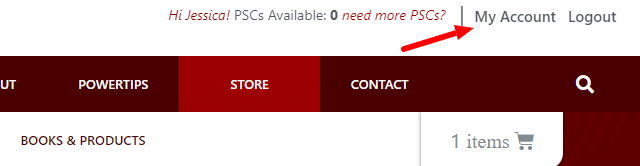
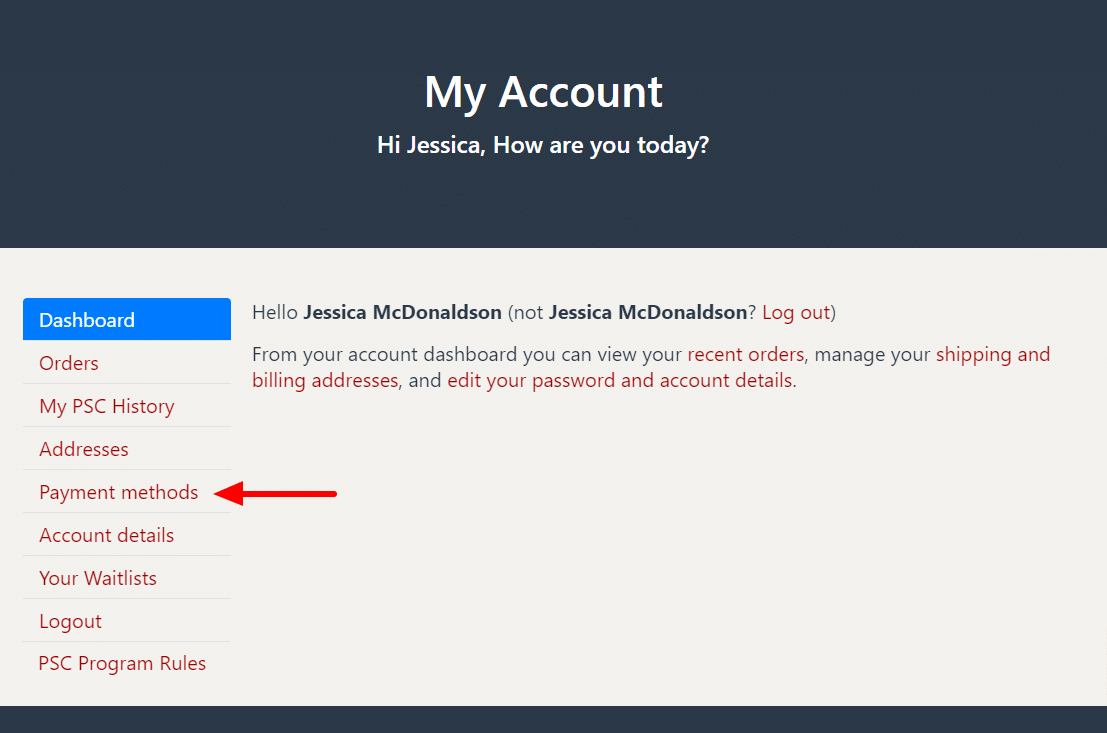
Visit the MY ACCOUNT page and click on the Payment Method tab to update, add, or delete a credit card.
You can find “My Account” in the upper right hand corner of the screen:
After clicking “My Account” you will be taken to a page with several options. To change your Credit Card info, click “Payment Methods” on the left navigation bar:
Here you can Delete, Update, or Add a new Credit Card.